
Multiple accounts
Track holdings across supported TFSA, RRSP, LIRA, non-registered, corporate and other registered account types.
Track holdings, account values, allocation and history across financial institutions and account owners, alongside personal and business finances.
Follow the Cashflow Pilot tutorials with examples you can check against your own data.
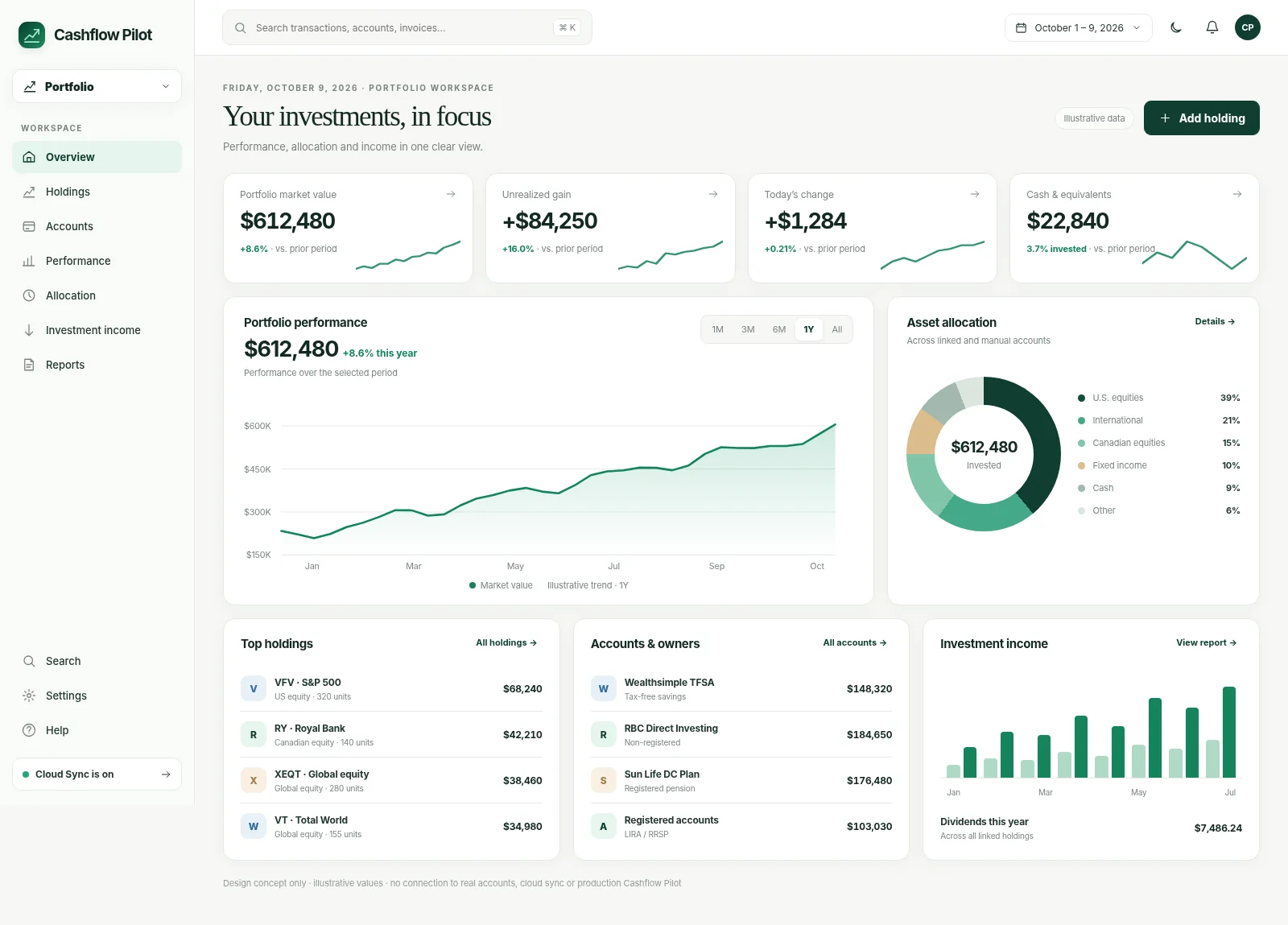
An account overview, investment cash and performance history—each with a reserved place for a verified real screen.
The labelled spaces above are not screenshots of the current app. Actual sanitized captures will be added after release and device verification. Until then, use the linked step-by-step guides to explore each workflow.
Bring holdings together across institutions and owners, follow values and currency movements over time, and understand what contributes to your net worth.
Stop switching between investment portals.
Track holdings across supported TFSA, RRSP, LIRA, non-registered, corporate and other registered account types.
View supported Personal, Spouse and Corporate groupings independently, with an aggregate where available.
Organize portfolios by account and institution for a more useful consolidated overview.
View supported security positions and maintain cash balances manually when an import does not include cash.
Track supported equities and ETFs, plus supported digital-asset tickers where available.
See how values change, not just today’s total.
Keep the security’s trading currency visible while consolidating supported balances into a CAD-denominated view.
Use available daily foreign-exchange reference rates for supported currency pairs. Publication timing can affect historical availability.
Review stored account- and owner-level snapshots over time, where collected.
Inspect supported recent price history, subject to data-provider availability and refresh limits.
Compare values over time while accounting for missing prices, contributions and source-data limitations.
Import what you can, enter what you need.
Enter and adjust supported quantities, prices and account assignments directly.
Import supported Wealthsimple portfolio records. Some cash and account data may require manual updates.
Reuse holdings data from supported Dividend Pilot backup/import paths.
Where set up, use the separate supported extension-based Sun Life workflow; it is not a universal integration.
Refresh supported quotes and inspect timestamps or stale values instead of assuming data is always real time.
Keep interpretation tied to source information.
Review displayed average or book cost as supplied or entered; tax-adjusted cost basis may need separate verification.
Compare account, owner and regional or asset exposures supported by the current data.
Review investment income information where imported or recorded and supported by the underlying data.
Combine supported investment values with other account and liability records as appropriate.
Use snapshots and import provenance to understand when holdings or valuations last changed.
Financial insight without forcing connections.
Keep available portfolio records on the device by default rather than requiring a brokerage connection.
Synchronize supported portfolio records when registration and Cloud Sync are both enabled.
Imports and available connections may omit information. Not every brokerage or type of account can be connected.
Retain independent copies of supported portfolio/account data and verify recovery.
Prices and converted balances are for tracking. Use official records for tax reporting.
Availability can depend on your build, device, imported records and connected providers. See the cross-workspace feature table →
A useful financial workspace needs guardrails, not just charts.
View daily account values and holding changes where historical data is available, not just a single total.
External integrations can have different coverage for holdings, transaction history and account balances. Verify each import before relying on it.
Brokerage-reported cost figures are not automatically a correct Canadian tax ACB. Review and preserve tax-relevant records separately.
No. Import and connection availability differs by source and account. Only options offered in your app are available to set up.
Do not assume imported book values or average cost equal Canadian tax adjusted cost base. Verify disposals, corporate actions, currency and distributions separately.
Missing cash, stale prices, source update timing, unimported activity and conversion rates can all produce differences.
Not necessarily. Market price, FX history and certain derived data can remain device-local and may need to refresh on the new device.
Step-by-step help for common tasks and important review checkpoints.
You decide how to use your information, whether to connect an account, and whether to sync across devices.
Financial records are available on the device. You can start without linking a bank or enabling cloud replication.
Signing in identifies you; enabling Cloud Sync separately sends supported records between devices. Not every file or sensitive field is included.
Save a backup so you have a copy if you ever need to restore your information.
Use the workflow that fits your existing data. Bank connections and Cloud Sync are optional, separate choices.
Choose owners, institutions and account types.
Import a supported file or record positions manually.
Check quote dates, FX, cash and account totals.
Maintain snapshots and export an independent backup.
Short guides explain how data enters Cashflow Pilot and what to check before accepting it.
See how to get started, step by step.
Read guide →See how to get started, step by step.
Read guide →See how to get started, step by step.
Read guide →Cashflow Pilot has no required app subscription for its current tools. Use one workspace or all three. Improvements keep coming, and you choose whether to connect a bank.
Use Cashflow Pilot locally, then add the workflows and integrations that make sense for you.
Simple examples, common mistakes and guidance for checking your figures.